Compose, test & debug
LLM calls
Build reusable prompt blocks, assemble multi-message compositions, test against any model via OpenRouter, and intercept tool calls — all from your desktop.
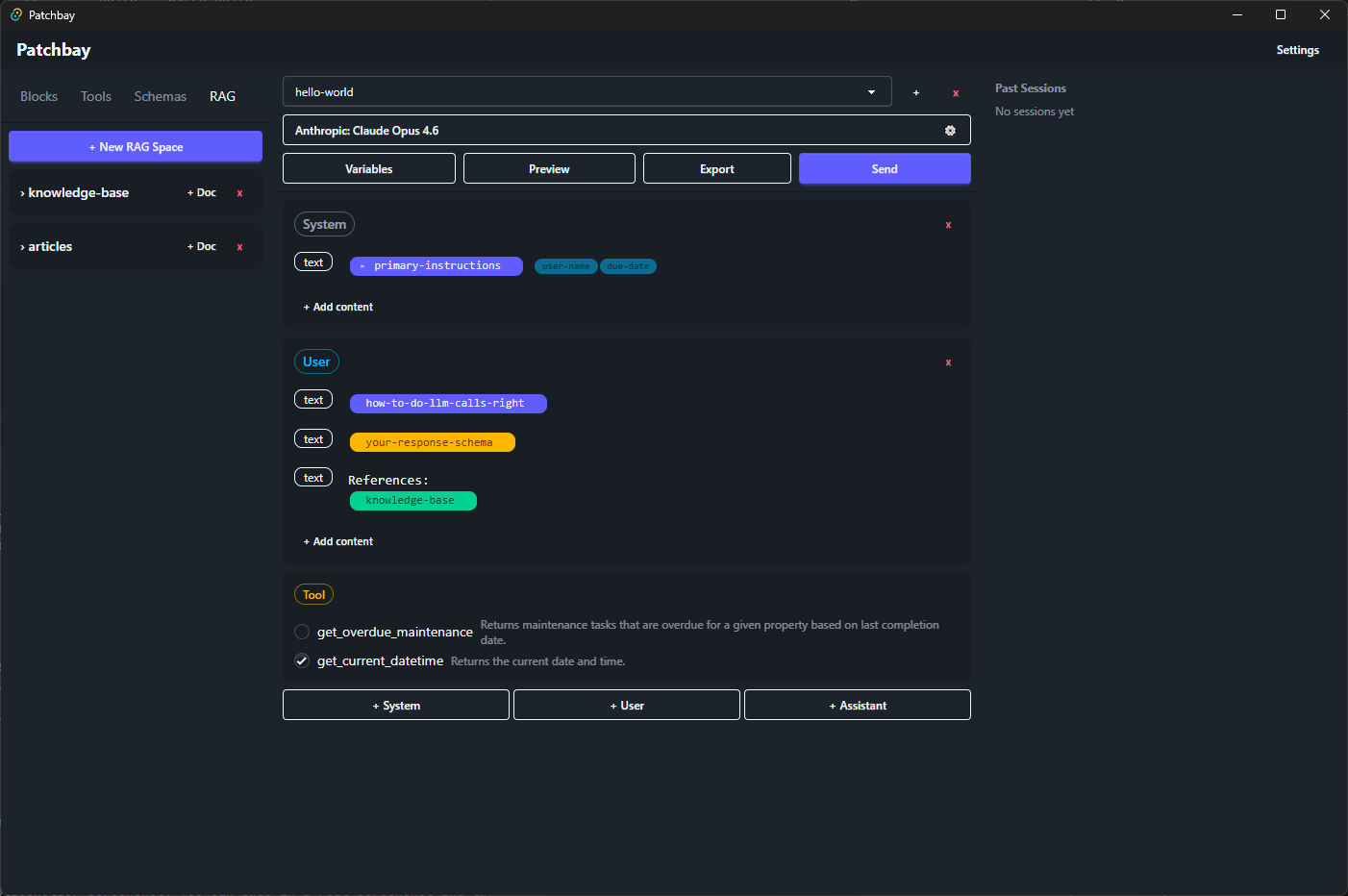
Everything you need to work with LLMs
Reusable Blocks
Write prompt fragments once, reference them anywhere with {{name}} placeholders. Change a block, every composition updates.
Composable Messages
Build full conversations — system, user, and assistant messages, each with multiple content items. Mix text blocks, variables, schemas, and RAG references freely.
Any Model via OpenRouter
One API key, every model. Test the same composition against GPT-4o, Claude, Gemini, Llama, or any OpenRouter-supported model. Compare token usage and costs side by side.
Tool Call Interception
When a model invokes a tool, Patchbay pauses execution and lets you inspect the call, craft a manual response, and resume — perfect for debugging agent workflows.
How it works
Build
Create reusable text blocks, tool definitions, JSON schemas, and RAG knowledge bases in the resource library.
Compose
Assemble multi-message conversations on the canvas. Drop in blocks, set variables, pick a model, and configure tools.
Send & Inspect
Fire the request, see the full response, token usage, and cost. Intercept tool calls, return manual answers, and continue the conversation.
Ready to try it?
Patchbay is free to use. Download the latest release for your platform.